Entware on DS220+ / DSM 7.1


Install Entware

Install on Synology NAS

# wget -O - https://bin.entware.net/x64-k3.2/installer/generic.sh | /bin/sh
Will not apply HSTS. The HSTS database must be a regular and non-world-writable file.
ERROR: could not open HSTS store at '/root/.wget-hsts'. HSTS will be disabled.
--2022-09-03 20:07:12--  https://bin.entware.net/x64-k3.2/installer/generic.sh
Resolving bin.entware.net... 188.114.97.2, 188.114.96.2, 2a06:98c1:3120::e, ...
Connecting to bin.entware.net|188.114.97.2|:443... connected.
HTTP request sent, awaiting response... 200 OK
Length: 2768 (2.7K) [application/octet-stream]
Saving to: 'STDOUT'

-                   100%[===================>]   2.70K  --.-KB/s    in 0s

2022-09-03 20:07:13 (56.5 MB/s) - written to stdout [2768/2768]

Info: Checking for prerequisites and creating folders...
Warning: Folder /opt exists!
Info: Opkg package manager deployment...
Will not apply HSTS. The HSTS database must be a regular and non-world-writable file.
ERROR: could not open HSTS store at '/root/.wget-hsts'. HSTS will be disabled.
--2022-09-03 20:07:13--  http://bin.entware.net/x64-k3.2/installer/opkg
Resolving bin.entware.net... 188.114.97.2, 188.114.96.2, 2a06:98c1:3120::e, ...
Connecting to bin.entware.net|188.114.97.2|:80... connected.
HTTP request sent, awaiting response... 200 OK
Length: 1155888 (1.1M) [application/octet-stream]
Saving to: '/opt/bin/opkg'

/opt/bin/opkg       100%[===================>]   1.10M  --.-KB/s    in 0.1s

2022-09-03 20:07:13 (8.08 MB/s) - '/opt/bin/opkg' saved [1155888/1155888]

Will not apply HSTS. The HSTS database must be a regular and non-world-writable file.
ERROR: could not open HSTS store at '/root/.wget-hsts'. HSTS will be disabled.
--2022-09-03 20:07:13--  http://bin.entware.net/x64-k3.2/installer/opkg.conf
Resolving bin.entware.net... 188.114.97.2, 188.114.96.2, 2a06:98c1:3120::e, ...
Connecting to bin.entware.net|188.114.97.2|:80... connected.
HTTP request sent, awaiting response... 200 OK
Length: 165 [application/octet-stream]
Saving to: '/opt/etc/opkg.conf'

/opt/etc/opkg.conf  100%[===================>]     165  --.-KB/s    in 0s

2022-09-03 20:07:13 (35.8 MB/s) - '/opt/etc/opkg.conf' saved [165/165]

Info: Basic packages installation...
Downloading http://bin.entware.net/x64-k3.2/Packages.gz
Updated list of available packages in /opt/var/opkg-lists/entware
Installing entware-opt (227000-3) to root...
Downloading http://bin.entware.net/x64-k3.2/entware-opt_227000-3_all.ipk
Installing libgcc (8.4.0-11) to root...
Downloading http://bin.entware.net/x64-k3.2/libgcc_8.4.0-11_x64-3.2.ipk
Installing libc (2.27-11) to root...
Downloading http://bin.entware.net/x64-k3.2/libc_2.27-11_x64-3.2.ipk
Installing libssp (8.4.0-11) to root...
Downloading http://bin.entware.net/x64-k3.2/libssp_8.4.0-11_x64-3.2.ipk
Installing libpthread (2.27-11) to root...
Downloading http://bin.entware.net/x64-k3.2/libpthread_2.27-11_x64-3.2.ipk
Installing librt (2.27-11) to root...
Downloading http://bin.entware.net/x64-k3.2/librt_2.27-11_x64-3.2.ipk
Installing libstdcpp (8.4.0-11) to root...
Downloading http://bin.entware.net/x64-k3.2/libstdcpp_8.4.0-11_x64-3.2.ipk
Installing entware-release (1.0-2) to root...
Downloading http://bin.entware.net/x64-k3.2/entware-release_1.0-2_all.ipk
Installing zoneinfo-asia (2022a-1) to root...
Downloading http://bin.entware.net/x64-k3.2/zoneinfo-asia_2022a-1_x64-3.2.ipk
Installing zoneinfo-europe (2022a-1) to root...
Downloading http://bin.entware.net/x64-k3.2/zoneinfo-europe_2022a-1_x64-3.2.ipk
Installing findutils (4.9.0-1) to root...
Downloading http://bin.entware.net/x64-k3.2/findutils_4.9.0-1_x64-3.2.ipk
Installing terminfo (6.3-1a) to root...
Downloading http://bin.entware.net/x64-k3.2/terminfo_6.3-1a_x64-3.2.ipk
Installing libpcre (8.45-3) to root...
Downloading http://bin.entware.net/x64-k3.2/libpcre_8.45-3_x64-3.2.ipk
Installing grep (3.7-2) to root...
Downloading http://bin.entware.net/x64-k3.2/grep_3.7-2_x64-3.2.ipk
Installing locales (2.27-9) to root...
Downloading http://bin.entware.net/x64-k3.2/locales_2.27-9_x64-3.2.ipk
Installing opkg (2022-02-24-d038e5b6-1) to root...
Downloading http://bin.entware.net/x64-k3.2/opkg_2022-02-24-d038e5b6-1_x64-3.2.ipk
Installing entware-upgrade (1.0-1) to root...
Downloading http://bin.entware.net/x64-k3.2/entware-upgrade_1.0-1_all.ipk
Configuring libgcc.
Configuring libc.
Configuring libssp.
Configuring libpthread.
Configuring librt.
Configuring terminfo.
Configuring libpcre.
Configuring grep.
Configuring locales.
Entware uses separate locale-archive file independent from main system
Creating locale archive /opt/usr/lib/locale/locale-archive
Adding en_EN.UTF-8
Adding ru_RU.UTF-8
You can download locale sources from http://bin.entware.net/other/i18n_glib227.tar.gz
You can add new locales to Entware using /opt/bin/localedef.new
Configuring entware-upgrade.
Upgrade operations are not required.
Configuring opkg.
Configuring zoneinfo-europe.
Configuring zoneinfo-asia.
Configuring libstdcpp.
Configuring entware-release.
Configuring findutils.
Configuring entware-opt.
Info: Congratulations!
Info: If there are no errors above then Entware was successfully initialized.
Info: Add /opt/bin & /opt/sbin to $PATH variable
Info: Add "/opt/etc/init.d/rc.unslung start" to startup script for Entware services to start
Info: Found a Bug? Please report at https://github.com/Entware/Entware/issues


Entware commands

$ sudo opkg list_installed
Password:
entware-opt - 227000-3
entware-release - 1.0-2
entware-upgrade - 1.0-1
findutils - 4.9.0-1
grep - 3.7-2
libc - 2.27-11
libgcc - 8.4.0-11
libpcre - 8.45-3
libpthread - 2.27-11
librt - 2.27-11
libssp - 8.4.0-11
libstdcpp - 8.4.0-11
locales - 2.27-9
opkg - 2022-02-24-d038e5b6-1
terminfo - 6.3-1a
zoneinfo-asia - 2022a-1
zoneinfo-europe - 2022a-1

$ sudo opkg install iperf3
Installing iperf3 (3.11-1) to root...
Downloading http://bin.entware.net/x64-k3.2/iperf3_3.11-1_x64-3.2.ipk
Configuring iperf3.

$ sudo opkg files iperf3
Package iperf3 (3.11-1) is installed on root and has the following files:
/opt/bin/iperf3

$ sudo opkg files iperf3
Package iperf3 (3.11-1) is installed on root and has the following files:
/opt/bin/iperf3

$ sudo opkg install netcat
Installing netcat (0.7.1-2) to root...
Downloading http://bin.entware.net/x64-k3.2/netcat_0.7.1-2_x64-3.2.ipk
Configuring netcat.

$ sudo opkg files netcat
Package netcat (0.7.1-2) is installed on root and has the following files:
/opt/bin/netcat

$ sudo opkg install pigz
Installing pigz (2.4-1) to root...
Downloading http://bin.entware.net/x64-k3.2/pigz_2.4-1_x64-3.2.ipk
Installing zlib (1.2.12-1) to root...
Downloading http://bin.entware.net/x64-k3.2/zlib_1.2.12-1_x64-3.2.ipk
Configuring zlib.
Configuring pigz.


Transfer

Transfer 15TB of tiny files

Source:
$ tar -cf - -C bachman0_2017_03_02 . | pigz | nc -l 9876

Destination:
$ mkdir bachman0_2017_03_02
$ cd bachman0_2017_03_02/
$ sudo netcat 10.0.0.149 9876 | pigz -d | tar -xf - -C .

JavaSE 18

Wikipedia

Java (programming language)
Java (Programmiersprache)

OpenJDK

JDK 17

Tutorials

baeldung

Differences Between Oracle JDK and OpenJDK
Deep Dive Into the New Java JIT Compiler – Graal

YouTube

Java

Java 8 to 18: Most important changes in the Java Platform
Java 19 – The Best Java Release? – Inside Java Newscast #27

Removed

  • Access to JDK internals
  • JAXB / JAXWS / CORBA
  • Nashorn JS Engine
  • CMS Garbage Collector
  • ParallelScavenge+ Serial Old GC
  • Launch-Time JRE version selection
  • JVM TI hprof Agent
  • jhat tool
  • Native-Header Generation tool (javah)
  • Pack200
  • Solaris and SPARC Ports
  • RMI Activation
  • Demos and Samples

Deprecated

  • Biased Locking

Deprecated-for-removal

  • Applet API
  • SecurityManager
  • Value Based Classes constructors
  • Finalization

No Longer in Oracle JDK

  • JavaFX
  • Java Web Start
  • JRE (and Auto update)
  • 32-bit

Failed experiments

  • AOT Compiler (9 to 17)
  • JIT Compiler (10 to 17)

Improving the Java Programming Language

  • Local-Variable Type Inference – var
  • Local Variable Syntax for Lambda Parameters
  • Switch Expressions
  • Text Blocks
  • Records / Record Classes/li>
  • Pattern Matching for instanceof
  • Sealed Classes
  • Pattern Matching for switch

Local-Variable Type Inference – var

var url = new URL("http://www.openjdk.com/");
var con = urk.openConnection();
var is = new InputStreamReader(con.getInputStream());
var reader = new BufferedReader(is);

Switch Expressions

return switch(day) {
  case MONDAY, FRIDAY, SUNDAY -> 6;
  case TUESDAY                -> 7;
  case THURSDAY, SATURDAY     -> 8
  case WEDNESDAY              -> 9;
};

Text Blocks

var html += """
  <tr>
    <td>Retweets: %s</td>
    <td>Likes: %s</td>
  </tr>
""".formatted(t.getRetweetCount(),
              t.getLikeCount());

Records / Record Classes

record Point (int x, int y) {}

Pattern Matching for instanceof

if (obj instance of String s) {
    // String s = (String) obj not necessary anymore
}
[/code]

<h4>Sealed Classes</h4>
[java]
public abstract sealed class Shape permits Circle, Rectangle, Square {...}

public final class Circle extends Shape {...}

public sealed class Rectangle extends Shape permits TransparentRectangle,
                                                    FilledRectangle {...}
public final class TransparentRectangle extends Rectangle {...}
public final class FilledRectangle extends Rectangle {...}

public non-sealed class Square extends Shape {...}

Pattern Matching for switch

static String formatterPatternSwitch(Object o) {
  return switch(o) {
    case Integer i -> String.format("int %d", i);
    case Long l    -> String.format("long %d", l);
    case Double d  -> String.format("double %f", d);
    case String s  -> String.format("String %s", s);
    default        -> o.toString();
  };
}

Pattern Matching for switch – Matching null

static String formatterPatternSwitch(Object o) {
  return switch(o) {
    case null      -> "null";
    case Integer i -> String.format("int %d", i);
    case Long l    -> String.format("long %d", l);
    case Double d  -> String.format("double %f", d);
    case String s  -> String.format("String %s", s);
    default        -> o.toString();
  };
}

Keso Rupert

All Java 18 Features In Under 5 Minutes!

  • 400: UTF-8 by Default
  • 408: Simple Web Server
  • 413: Code Snippets in Java API Documentation
  • 416: Reimplement Core Reflection with Method Handles
  • 417: Vector API (Third Incubator)
  • 418: Internet-Address Resolution SPI
  • 419: Foreign Function & Memory API (Second Incubator)
  • 420: Pattern Matching for switch (Second Preview)
  • 421: Deprecate Finalization for Removal

History

Version Date
JDK Beta 1995
JDK 1.0 January 23, 1996
JDK 1.1 February 19, 1997
J2SE 1.2 December 8, 1998
J2SE 1.3 May 8, 2000
J2SE 1.4 February 6, 2002
J2SE 5.0 September 30, 2004
Java SE 6 December 11, 2006
Java SE 7 July 28, 2011
Java SE 8 (LTS) March 18, 2014
Java SE 9 September 21, 2017
Java SE 10 March 20, 2018
Java SE 11 (LTS) September 25, 2018
Java SE 12 March 19, 2019
Java SE 13 September 17, 2019
Java SE 14 March 17, 2020
Java SE 15 September 15, 2020
Java SE 16 March 16, 2021
Java SE 17 (LTS) September 14, 2021
Java SE 18 March 22, 2022

Test & Measurement (T&M): SICL, SCPI and VISA

  • SICL: Standard Instrument Control Library
  • SCPI: Standard Commands for Programmable Instruments
  • VISA: Virtual Instrument Software Architecture
  • LXI: Lan eXtensions for Instrumentation
  • Die moderne Alternative zum virtuellen COM Port (VCP) istdie Ansteuerung mit Hilfe der USB-TMC-Klasse. TMC stehtdabei für die „Test & Measurement Class” und bedeutet,dass bei installierten VISA-Treibern das angeschlosseneMessgerät ohne spezielle Windows-Treiber erkannt wirdund in den entsprechenden Umgebungen direkt verwendetwerden kann
  • Bei der klassischen Variante des VCP kann der Anwendernach Installation der entsprechenden Windows-Treiber miteinem beliebigen Terminal-Programm über SCPI-Komman-dos mit dem HMC kommunizieren

Standard Commands for Programmable Instruments (SCPI)
Virtual instrument software architecture (VISA), IVI Foundation


Rohde&Schwarz

Measurement Synchronization, *OPC?
VISA and VISA Tools


Tutorials

Making Sense of Test and Measurement Protocols


Questions

ValueError: Could not locate a VISA implementation. Install either the IVI binary or pyvisa-py
Is it normal to wait for some time between operations under the VISA protocol?


Python

PyVISA: Control your instruments with Python
Easy SCPI
Tutorial: Introduction to SCPI Automation of Test Equipment with pyvisa
Instrumentation Programming with Python

import pyvisa
rm = pyvisa.ResourceManager()
Traceback (most recent call last):
  File "<stdin>", line 1, in <module>
  File "C:\Users\bacr\Miniconda3\envs\PowerSupply\lib\site-packages\pyvisa\highlevel.py", line 2992, in __new__
    visa_library = open_visa_library(visa_library)
  File "C:\Users\bacr\Miniconda3\envs\PowerSupply\lib\site-packages\pyvisa\highlevel.py", line 2899, in open_visa_library
    wrapper = _get_default_wrapper()
  File "C:\Users\bacr\Miniconda3\envs\PowerSupply\lib\site-packages\pyvisa\highlevel.py", line 2858, in _get_default_wrapper
    raise ValueError(
ValueError: Could not locate a VISA implementation. Install either the IVI binary or pyvisa-py.

OpenCV Image Stabilization

OpenCV Video Stabilization Using Point Feature Matching

  • python Image shake correction
  • video stabilizer feature matching opencv

Video Stabilization Using Point Feature Matching in OpenCV
github.com/krutikabapat/Video-Stabilization-using-OpenCV, Video Stabilization Using Point Feature Matching in OpenCV
SIMPLE VIDEO STABILIZATION USING OPENCV
Feature Matching

ImageJ

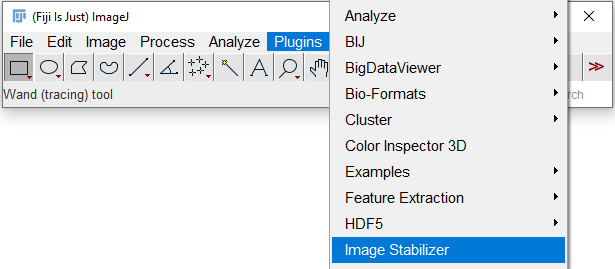
Image Stabilizer

MATLAB

Video Stabilization Using Point Feature Matching


OpenCV Images stitching

Images stitching

ntroduction to SIFT (Scale-Invariant Feature Transform)

GitHub

Issues

Missing BestOf2NearestRangeMatcher_create in bindings #21406
PyRotationWarper creating incorrectly sized images #15134

Samples

opencv/master/samples/python/stitching_detailed.py

Papers

Automatic Panoramic Image Stitching using Invariant Features, 2007

Tutorials

Image Stitching with OpenCV and Python
Estimation and compose

Questions

Understanding how cv::detail::leaveBiggestComponent() function works in opencv 3.2
Using composePanorama in Stitcher class with OpenCV-Python bindings