LinkedIn Kenntnisevaluierungen
Leave a reply
Windows Subsystem for Linux Installation Guide for Windows 10
What is the Windows Subsystem for Linux?
Frequently Asked Questions about Windows Subsystem for Linux
Run Linux GUI apps on the Windows Subsystem for Linux (Windows 11 Build 22000 or later)
Running WSL GUI Apps on Windows 10
WSL2 Ubuntu GUI (with RDP)
How to install Linux GUI apps with WSL 2 on Windows 10 (Windows 10 Build 21364)
WSL2 soll Linux-GUIs anzeigen können (Wayland Display Server)
GUI-Anwendungen ausführen im Windows Subsystem für Linux (WSL)
Windows Subsystem for Linux GUI startet grafische Linux-Programme
github.com/microsoft/wslg, Enabling the Windows Subsystem for Linux to include support for Wayland and X server related scenarios (Windows 11)
Announcing Windows 10 Insider Preview Build 21364, April 21, 2021
Windows 11 on Unsupported Hardware
How to set up working X11 forwarding on WSL2 [closed]
WSL: Running Graphical Applications
In computing, endianness is the order or sequence of bytes of a word of digital data in computer memory. Endianness is primarily expressed as big-endian (BE) or little-endian (LE). A big-endian system stores the most significant byte of a word at the smallest memory address and the least significant byte at the largest. A little-endian system, in contrast, stores the least-significant byte at the smallest address.
Question: How to display memory during a debug session #1503
Examine/display memory and register in gdb
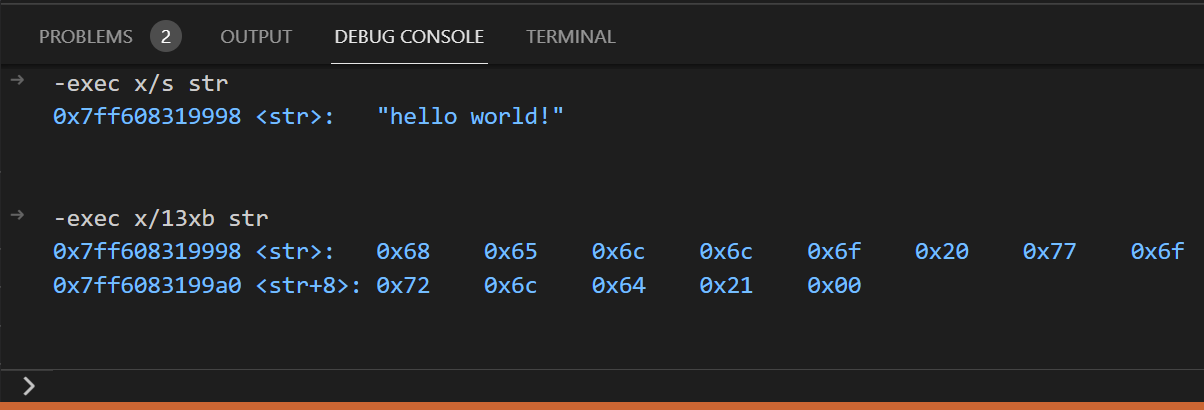
const char  str[] = "hello world!";
const int   k = -15;
-exec x/s str
0x7ff608319998 <str>:    "hello world!"

-exec x/13xb str
0x7ff608319998 <str>:    0x68    0x65    0x6c    0x6c    0x6f    0x20    0x77    0x6f
0x7ff6083199a0 <str+8>:  0x72    0x6c    0x64    0x21    0x00

-exec x &k
0x7ff6083199a8 <k>:      0xf1

-exec x/d &k
0x7ff6083199a8 <k>:      -15

-exec x/4b &k
0x7ff6083199a8 <k>:      -15    -1    -1    -1

-exec x/4xb &k
0x7ff6083199a8 <k>:      0xf1    0xff    0xff    0xff

-exec p sine
$2 = {0x7ff608319000 <sine_300> "", 0x7ff608319260 <sine_400> "", 0x7ff608319420 <sine_500> "", 0x7ff608319580 <sine_600> "", 0x7ff6083196a0 <sine_700> "", 0x7ff6083197a0 <sine_800> "", 0x7ff608319880 <sine_900> ""}

-exec x/7xg &sine
0x7ff608318020 <sine>:       0x00007ff608319000    0x00007ff608319260
0x7ff608318030 <sine+16>:    0x00007ff608319420    0x00007ff608319580
0x7ff608318040 <sine+32>:    0x00007ff6083196a0    0x00007ff6083197a0
0x7ff608318050 <sine+48>:    0x00007ff608319880

-exec x/8xh sine[0]
0x7ff608319000 <sine_300>:	0x0000	0x0000	0x0579	0x0578	0x0aeb	0x0aee	0x1062	0x105d

-exec x/8xh sine[1]
0x7ff608319260 <sine_400>:	0x0000	0x0000	0x074b	0x074a	0x0e8d	0x0e90	0x15ca	0x15c6

-exec x/8xh &m_wave
0x7ff7c3f2d060 <m_wave>:	0x0000	0x0000	0x02bc	0x0578	0x0aeb	0x0aee	0x1062	0x105d

-exec x/8xh wave_16bit
0x7ff7c3f2d060 <m_wave>:	0x0000	0x0000	0x02bc	0x0578	0x0aeb	0x0aee	0x1062	0x105d
-exec tui enable
Cannot enable the TUI when the interpreter is 'mi'

-exec show endian
The target endianness is set automatically (currently little endian).
How exactly does __attribute__((constructor)) work?
GCC __attribute__((constructor)) is called before object constructor
C++ static initialization vs __attribute__((constructor))
__attribute__((constructor[(priority)])) function attribute
__attribute__((constructor(priority))) function attribute
__attribute__((init_priority(X))) in GCC
__attribute__((weak)) and static libraries
void noOsSystickHandler() { } // empty
void osSystickHandler() __attribute__((weak, alias("noOsSystickHandler")));
$ whereis rust-gdb
rust-gdb: /home/andreas/.cargo/bin/rust-gdb


$ file /home/andreas/.cargo/bin/rust-gdb
/home/andreas/.cargo/bin/rust-gdb: ELF 64-bit LSB shared object, x86-64, version 1 (SYSV), dynamically linked, interpreter /lib64/ld-linux-x86-64.so.2, for GNU/Linux 2.6.18, with debug_info, not stripped
$ curl --proto '=https' --tlsv1.2 -sSf https://sh.rustup.rs | sh
info: downloading installer

Welcome to Rust!

This will download and install the official compiler for the Rust
programming language, and its package manager, Cargo.

Rustup metadata and toolchains will be installed into the Rustup
home directory, located at:

  /home/andreas/.rustup

This can be modified with the RUSTUP_HOME environment variable.

The Cargo home directory located at:

  /home/andreas/.cargo

This can be modified with the CARGO_HOME environment variable.

The cargo, rustc, rustup and other commands will be added to
Cargo's bin directory, located at:

  /home/andreas/.cargo/bin

This path will then be added to your PATH environment variable by
modifying the profile files located at:

  /home/andreas/.profile
  /home/andreas/.bashrc

You can uninstall at any time with rustup self uninstall and
these changes will be reverted.

Current installation options:


   default host triple: x86_64-unknown-linux-gnu
     default toolchain: stable (default)
               profile: default
  modify PATH variable: yes

1) Proceed with installation (default)
2) Customize installation
3) Cancel installation
>1

info: profile set to 'default'
info: default host triple is x86_64-unknown-linux-gnu
info: syncing channel updates for 'stable-x86_64-unknown-linux-gnu'
info: latest update on 2021-05-06, rust version 1.52.0 (88f19c6da 2021-05-03)
info: downloading component 'cargo'
info: downloading component 'clippy'
info: downloading component 'rust-docs'
 15.3 MiB /  15.3 MiB (100 %)   8.3 MiB/s in  2s ETA:  0s
info: downloading component 'rust-std'
 24.1 MiB /  24.1 MiB (100 %)  10.4 MiB/s in  2s ETA:  0s
info: downloading component 'rustc'
 48.7 MiB /  48.7 MiB (100 %)   9.9 MiB/s in  5s ETA:  0s
info: downloading component 'rustfmt'
info: installing component 'cargo'
info: using up to 500.0 MiB of RAM to unpack components
  6.0 MiB /   6.0 MiB (100 %) 726.4 KiB/s in  7s ETA:  0s
info: installing component 'clippy'
info: installing component 'rust-docs'
 15.3 MiB /  15.3 MiB (100 %)   1.8 MiB/s in  7s ETA:  0s
info: installing component 'rust-std'
 24.1 MiB /  24.1 MiB (100 %)   2.0 MiB/s in 20s ETA:  0s
info: installing component 'rustc'
 48.7 MiB /  48.7 MiB (100 %) 718.4 KiB/s in 59s ETA:  0s
info: installing component 'rustfmt'
  3.6 MiB /   3.6 MiB (100 %)   3.6 MiB/s in  1s ETA:  0s
info: default toolchain set to 'stable-x86_64-unknown-linux-gnu'

  stable-x86_64-unknown-linux-gnu installed - rustc 1.52.0 (88f19c6da 2021-05-03)


Rust is installed now. Great!

To get started you may need to restart your current shell.
This would reload your PATH environment variable to include
Cargo's bin directory ($HOME/.cargo/bin).

To configure your current shell, run:
source $HOME/.cargo/env
#if !defined(HAL_I2C_MODULE_DISABLED)
  #define HAL_I2C_MODULE_ENABLED
#else
  #undef HAL_I2C_MODULE_ENABLED
#endif

#if !defined(HAL_I2S_MODULE_DISABLED)
  #define HAL_I2S_MODULE_ENABLED
#else
  #undef HAL_I2S_MODULE_ENABLED
#endif
Serial Audio Interface (SAI) (I2S, PCM, TDM, SPDIF, …)
USART interface